How to Find Your User ID in Mobile Legends: Bang Bang
Learn how to quickly locate your MLBB User ID through the profile menu for top-ups, friend requests, and customer support.
Introduction
Your User ID in Mobile Legends: Bang Bang (MLBB) is essential for activities like top-ups, friend requests, and customer support. Knowing where to find it saves time and ensures smooth transactions.
Step-by-Step Guide
Open the game lobby – Launch MLBB and wait until you’re on the main screen.
Tap your avatar – Located in the top-left corner of the lobby.
Go to Basic Info – Inside your profile menu, select the “Basic Info” tab.
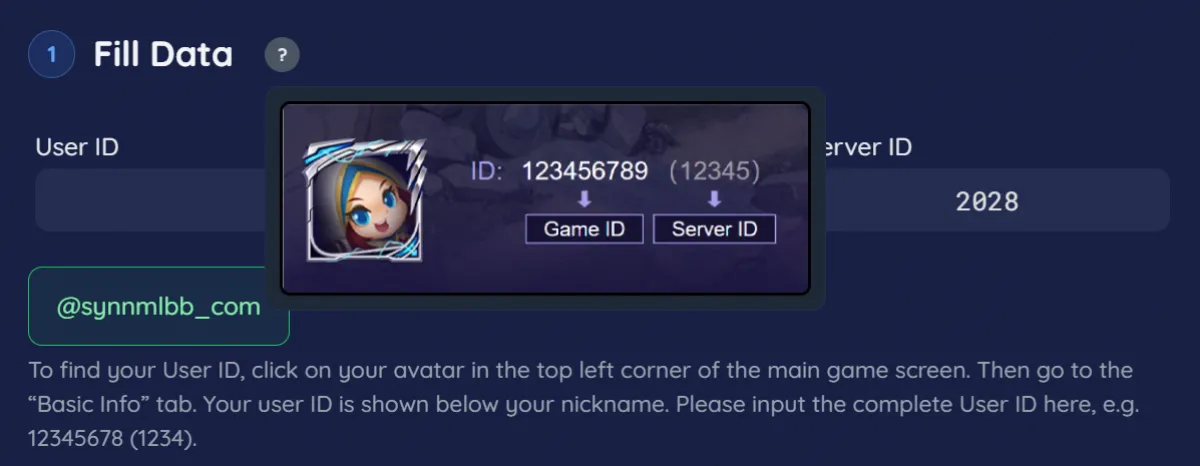
Locate your User ID – Your ID will appear directly below your nickname.
Example format: 12345678 (1234)
The first number is your main ID, and the number in parentheses is your server ID.
Why Your User ID Matters
Top-ups – Required when purchasing Diamonds or event bundles.
Friend requests – Share your ID so others can add you easily.
Customer support – Needed when reporting issues or retrieving accounts.
Tips for Players
Copy your ID – Use the copy button to avoid typing errors.
Save it securely – Keep your ID in a note or screenshot for quick access.
Use server ID correctly – Always include the number in parentheses when required.
Conclusion
Finding your User ID in MLBB is simple: just tap your avatar, open Basic Info, and check the number below your nickname. This ID is crucial for top-ups, friend requests, and support, so make sure you know it and keep it handy.
👉 For fast and secure Diamond purchases, recharge now at Synn Store using your User ID.